Documentation Index

Fetch the complete documentation index at: https://open.manus.ai/docs/llms.txt

Use this file to discover all available pages before exploring further.

API v1 is deprecated and will be removed in the future. Please migrate to API v2 for new features and long-term support.

Overview

The Manus Slack integration lets you create sessions directly from Slack channels or with the Manus bot.

Requirements

  • A Slack workspace where you have permission to install apps
  • A Manus Account

Installation

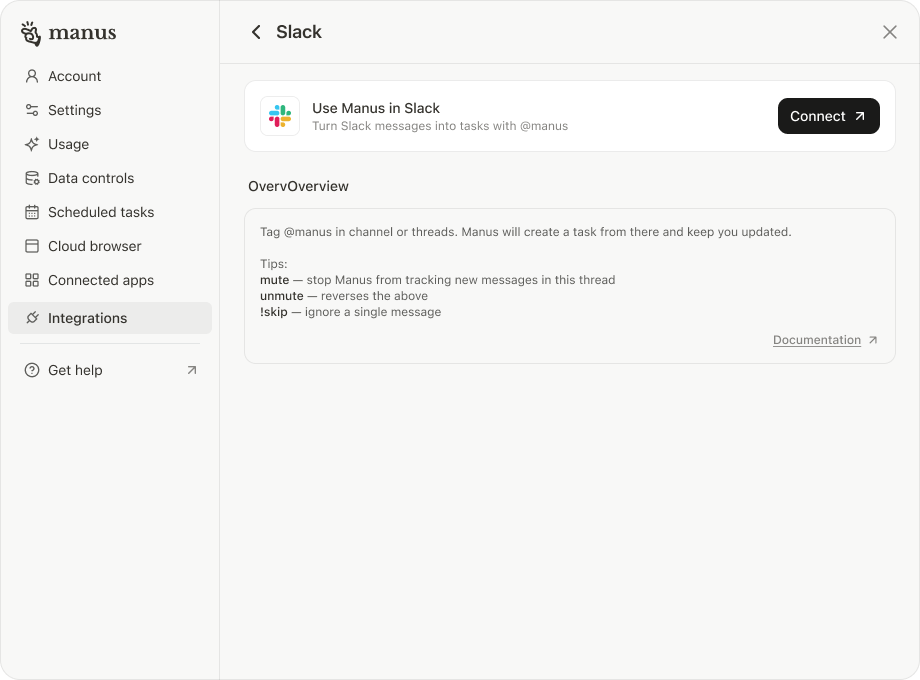
  1. Go to Manus Settings → Integrations → Slack
  2. Click Connect
  3. Install the app and complete setup
Slack Integration

Usage

  • Tag @manus in threads in channel or send a direct message to the Manus bot
  • Use mute or unmute to control thread activity

Changelog

November 27, 2025

We’ve updated Manus Slack App behavior based on user feedback.
ScenarioPrevious BehaviorUpdated Behavior
Direct @Manus in a channelManus replies directly under the message and automatically starts a Manus thread.No change, behavior remains the same.
@Manus in a reply within a non-Manus threadA new Manus thread would be created.Manus now replies directly under the message without creating a new thread.
User reply behavior inside Manus threadsManus proactively listens and replies within the thread.Manus will only reply when explicitly mentioned.